Sooner or later, most people meet text like this: the word café written as café, an apostrophe turned into ’, a pound sign that has grown an extra Â, or a name in another alphabet that has become a string of accented letters. It looks like corruption, as if the file were damaged. Usually it is not. The text was written in one way and read in another, and the characters you see are the honest result of that misunderstanding. The Japanese word for it is mojibake, which means character transformation.
This guide explains what causes mojibake, why the same few patterns appear again and again, how to reverse the damage when it can be reversed, and how to stop it happening. It draws on the Wikipedia article on mojibake, the WHATWG Encoding Standard that web browsers follow, RFC 3629 which defines UTF-8, the Unicode FAQ on byte order marks, and the MDN explanation of character encoding, all linked at the end. It also uses the tests that were run for the garbled-text fixer on this site.
The short answer: nothing is wrong with the bytes. They are being read with the wrong rules, and if no byte was lost, reading them with the right rules brings the text back.
What mojibake is
Wikipedia defines mojibake as the garbled or gibberish text that results from text being decoded using an unintended character encoding. The key word is decoded. A computer stores text as numbers, and an encoding is the agreement about which numbers mean which characters. If the writer and the reader use different agreements, the numbers are the same and the characters are different.
MDN puts it plainly: a character encoding defines a mapping between bytes and text, and a sequence of bytes allows different textual interpretations. By specifying a particular encoding, such as UTF-8, you specify how the sequence of bytes is to be interpreted. When nobody specifies it, or the specification is wrong, the reader guesses.
How text becomes bytes
Nearly all modern text is UTF-8, which RFC 3629 defines. It writes each character of plain ASCII as one byte, and every other character, such as é, ’, 你, or an emoji, as two to four bytes. Older programs and files used single-byte encodings, the best known being Windows-1252 and Latin-1, in which every byte is one character.
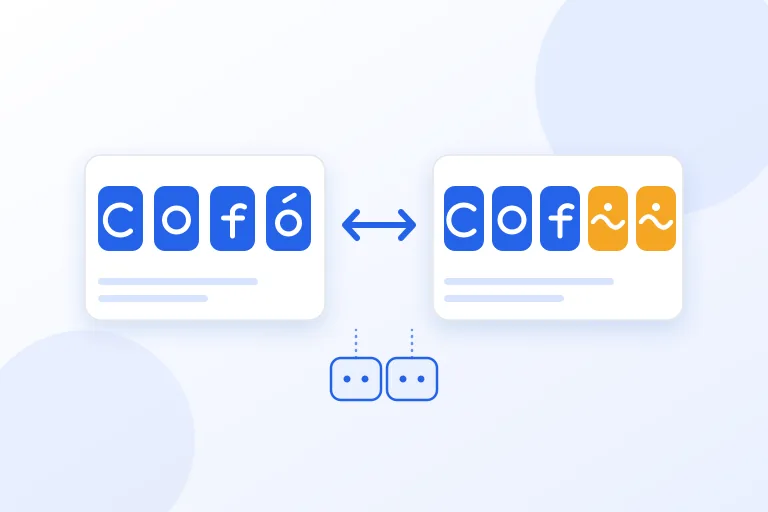
The classic accident follows from that. The letter é in UTF-8 is two bytes, C3 and A9. A program that assumes Windows-1252 reads C3 as the letter à and A9 as the copyright sign, and shows é. Nothing was lost. The same two bytes are still there, shown as two wrong characters, which is why the damage can often be reversed.
The patterns you will recognise
Because UTF-8 uses lead bytes that read as Ã, Â, â, Ð, and Ñ in Windows-1252, damaged text is full of those letters followed by odd symbols. Once you know the patterns you can tell at a glance what happened.
Wikipedia gives some examples. The right single quotation mark, when encoded in UTF-8 and decoded using Windows-1252, becomes ’. The pound sign appears as £ if it was encoded as UTF-8 but read as one of the Western European encodings. The Swedish word kärlek becomes kärlek, and the German für becomes für.
- é è ü ñ ç: accented Latin letters, in French, German, Spanish, and Portuguese, read as Windows-1252.
- ’ “ †– …: curly quotes, dashes, and ellipses, from the same mix-up.
- £ © ®: a symbol with an extra  in front of it.
- ä½ å¥½ and similar: Chinese, Japanese, or Korean text read as Windows-1252.
- привет and similar: Cyrillic text read as Windows-1252.
-  at the start of a file: the three bytes of a UTF-8 byte order mark read as Windows-1252.
- A diamond with a question mark, or a plain question mark where a letter should be: the reader could not use a byte and put a replacement in its place.
Where mojibake comes from
Wikipedia notes that mojibake is often seen with text data that has been tagged with a wrong encoding, and that it also occurs when the encoding is incorrectly specified. In practice the causes are a short list.
- A web page, email, or database that declares one encoding but contains another.
- A CSV or text file saved as UTF-8 and opened by a program that assumes an older encoding. This is the usual story with Excel on Windows.
- Text copied through several programs, each of which converts it, so that it is damaged more than once.
- A file from an old system in a legacy encoding such as Windows-1251 or GBK, opened as if it were UTF-8.
- A database or a connection set to one character set while the application sends another.
Why the damage can often be reversed
Because the original bytes are still in the text, the repair is the same steps backwards. Turn each wrong character back into the byte that it stood for, using the encoding that the text was wrongly read as, and then read those bytes as UTF-8. If the result is valid UTF-8, the odds are very high that this was the damage, because random text almost never forms valid UTF-8 sequences. If it is not valid, leave the text alone.
Text that was damaged twice has two layers, and each layer can be peeled off in turn. The apostrophe is an example. The first mix-up gives ’, and a second one turns that into ’. Reading it back twice restores the apostrophe.
The repair has to work one damaged spot at a time. A line such as Café menu: crème brûlée has one correct é and several damaged ones, and the correct é must not be touched. A repair that changes text which was fine is worse than none, and it is the reason that a careful tool checks every spot instead of re-reading a whole file.
How to fix text that is already garbled
If you still have the original file, do not repair the text, open the file again with the right encoding. Most text editors let you choose the encoding when you open or reopen a file. In Excel, use the import from text feature and choose UTF-8 as the file origin. This works from the true bytes and loses nothing.
If you only have the damaged text, for example in a web page, a document, or a database export, reverse the steps. In a program, this means encoding the string with the wrong encoding and decoding it as UTF-8, and it fails with an error when the text was not damaged in this way. The ftfy library for Python does this carefully and guesses the damage for you. A browser-based tool does the same on your device without uploading the text, and the garbled-text fixer on this site works spot by spot, handles text that was damaged twice, and tells you how many replacement characters it found, which are the ones that cannot be repaired.
Check the result by reading it. A repaired line should look like real words in the right language. If a tool offers several readings, as it must when two encodings look alike, choose the one that is spelled correctly.
Why CSV files so often break in Excel
A very common complaint is a CSV file that looks right in a text editor and shows é in Excel. The file is UTF-8, and many versions of Excel on Windows open a CSV that has no byte order mark using an older encoding. The Unicode FAQ describes the byte order mark for UTF-8, the three bytes EF BB BF, as a signature that is not required for UTF-8 but that marks a file as UTF-8.
Saving the CSV as UTF-8 with that signature tells Excel what the file is, and the characters come out right. It is also the reason that those three bytes, shown as , are sometimes seen at the start of a file in a program that does not know about the signature. The signature is harmless to most readers, but some scripts and parsers do not expect it, so add it only for files that people will open in Excel.
Other codes that look like strange characters
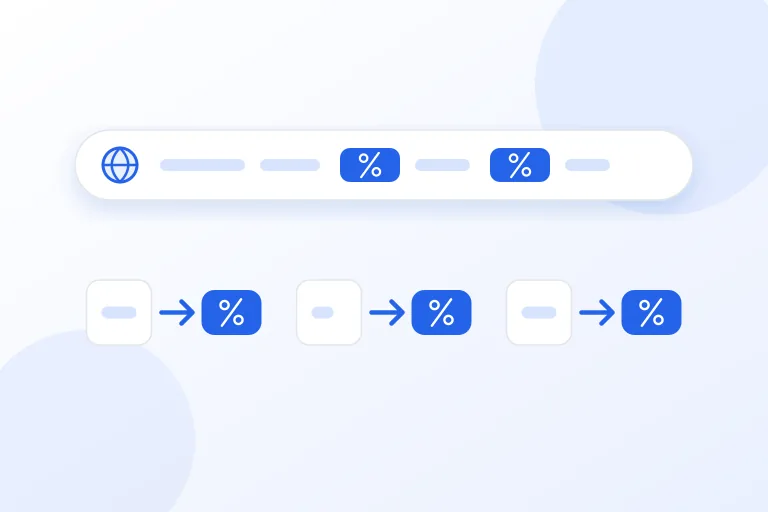
Not every odd sequence is mojibake. HTML entities such as é, percent codes such as %C3%A9 in web addresses, backslash escapes such as \u00e9 in code and logs, and quoted-printable codes such as =C3=A9 in email are all ways of writing a character with plain ASCII. In a web page or a source file they are correct, and decoding them would change the meaning, so a tool should offer to decode them and not do it on its own.
They can also mix with mojibake. An entity such as é is the two characters à and ©, which are themselves the damaged form of é. Decode the entities first, and then repair the text.
When the text cannot be recovered
The repair is exact only when no information was lost. If a program could not read a byte, it may have replaced it with the replacement character, or with a question mark, and the original byte is gone. A name that has become K?ln cannot be turned back into Köln by any program, because the question mark could have stood for any character. The best a tool can do is to report how many such characters it found and leave them alone.
Copying can also lose information in a quieter way. Many programs change characters when you copy them, for example by turning a non-breaking space into a plain space or by straightening quotes. If you have the original file, go back to it, because the file still has the true bytes.
How to prevent it
The WHATWG Encoding Standard, which web browsers follow, says that new protocols and formats, and existing formats used in new ways, must use UTF-8 exclusively. That is the simplest rule to follow: use UTF-8 everywhere, and say so.
In HTML, declare it with a meta charset tag, which MDN shows as the normal way, and send it in the Content-Type header of the server. Save source files and exports as UTF-8. Set databases and their connections to a UTF-8 character set. When you exchange CSV with people who use Excel, add the signature. When a program asks you for the encoding of a file, choose UTF-8 unless you know that the file is old.
The same standard explains why so much mojibake follows the Windows-1252 pattern. It says that in browsers the labels latin1, iso-8859-1, and ascii are all names for windows-1252, so a page that says it is Latin-1 is read with the extra characters of Windows-1252, such as the curly quotes. Whatever the page claims, that is how the bytes are treated.
Practical checklist
- Go back to the original file when you have it, and open it with the right encoding.
- Recognise the patterns: à followed by a symbol, †followed by a symbol, and an extra Â.
- Repair damaged text spot by spot, and never change text that was already correct.
- Check the repaired text by reading it, and choose the reading that is spelled correctly when a tool offers several.
- Report text with replacement characters or question marks as lost, and do not guess it.
- Use UTF-8 everywhere, and declare it in HTML and in the HTTP header.
- Add the UTF-8 signature to CSV files that people will open in Excel.
- Decode HTML entities, percent codes, and escapes only when you mean to.
Research and references
This guide was prepared from the authoritative references below.