Open the developer tools of any modern browser and look at the user agent. Chrome says Mozilla/5.0, and so do Edge, Safari, Opera, and Firefox. Chrome also says AppleWebKit, KHTML, like Gecko, and Safari, in a single line, and it is none of those things. The string is longer than it needs to be and it begins with the code name of a browser from the 1990s. It looks like a mistake, but it is the result of a series of small decisions that each made sense at the time.
This guide explains where each part of the string came from, why nobody has removed them, what the web standard says about it, and what browsers have started to hide. It draws on the WebAIM history of the user agent string, the Mozilla Developer Network pages on the User-Agent header and on browser detection, RFC 9110, and Google's documentation of User-Agent reduction, all linked at the end. It also uses the work on the user agent parser on this site, which reads these strings token by token.
The short answer: browsers copied the name of the browser that servers liked best, so that servers would send them the good pages. Every new browser kept the old words and added its own, and the old words are still there because some code on the web still looks for them.
A modern string, token by token
Here is a string that MDN gives as an example of Chrome on Windows: Mozilla/5.0 (Windows NT 10.0; Win64; x64) AppleWebKit/537.36 (KHTML, like Gecko) Chrome/143.0.0.0 Safari/537.36. Read from left to right, only two tokens say what the program is. Chrome/143.0.0.0 is the browser and its version, and Windows NT 10.0 with Win64 and x64 is the system. The rest is history.
MDN explains the first token directly: Mozilla/5.0 is the general token that says that the browser is Mozilla-compatible, and for historical reasons almost every browser today sends it. For Chrome and the browsers built on the same engine, it adds that strings like KHTML, like Gecko and Safari are added for compatibility. Each of those words is a message to a server, written years ago, that says: treat me like the browser that you already know how to serve.
Where the name Mozilla came from
WebAIM's history of the user agent string tells the story in a humorous style, and it starts with NCSA Mosaic, which called itself NCSA_Mosaic/2.0 (Windows 3.1). A new browser followed, which WebAIM says was called Mozilla, short for Mosaic Killer, and its string was Mozilla/1.0 (Win3.1). Netscape became the public name of the product, and Mozilla stayed as the name in the string.
Netscape supported frames, and Mosaic did not. Webmasters wanted to use frames, so they looked at the user agent and sent frames only to a browser that said Mozilla. WebAIM calls this the beginning of user agent sniffing. From that point on, a browser that did not say Mozilla got a worse page, and the incentive for every other browser was clear.
Internet Explorer says it is Mozilla too
Microsoft's browser, Internet Explorer, supported frames, but it did not say Mozilla, so servers did not send it any. According to WebAIM, Microsoft did not want to wait for webmasters to learn about the new browser, so it declared itself Mozilla compatible, and its string became Mozilla/1.22 (compatible; MSIE 2.0; Windows 95).
This is where the word compatible appears in WebAIM's account, and it is still found in strings today, such as the Googlebot string that MDN lists. In the story it is the first time a browser put another browser's name at the front on purpose, and it worked. Servers saw Mozilla, sent the frames, and Internet Explorer got the page. The cost was that the front of the string no longer told you anything about the browser, and the real name had to move to the middle.
Gecko, and why other engines say like Gecko
Netscape's successor project became Mozilla, and it built a rendering engine called Gecko. WebAIM gives a Mozilla string from 2002 that ends in Gecko/20020826, and later strings with Firefox/1.0 added. Mozilla now keeps this part fixed: MDN says that on the desktop the Gecko token is always the fixed string 20100101, so it carries no real date.
Other browsers were built from Gecko code and kept the Mozilla/5.0 front, such as Camino and SeaMonkey in WebAIM's examples. Then came engines that were not Gecko, such as KHTML from the Konqueror browser on Linux. Servers had begun to send the best pages to Gecko, so Konqueror's string said it was like Gecko. WebAIM gives the string Mozilla/5.0 (compatible; Konqueror/3.2; FreeBSD) (KHTML, like Gecko).
Apple used KHTML to build WebKit, which WebAIM describes as a fork with many added features. Because Apple wanted pages that were written for KHTML to work, Safari's string said AppleWebKit, (KHTML, like Gecko), and Safari, behind Mozilla/5.0. Each new browser took the words of the one before it, and added its own.
Why Chrome says Safari
Google's Chrome used WebKit and wanted the pages that were made for Safari, so it said so. WebAIM's version of its early string is Mozilla/5.0 (Windows; U; Windows NT 5.1; en-US) AppleWebKit/525.13 (KHTML, like Gecko) Chrome/0.2.149.27 Safari/525.13, and its summary is that Chrome pretended to be Safari, WebKit pretended to be KHTML, KHTML pretended to be Gecko, and all of them pretended to be Mozilla.
Chrome's engine is now called Blink, which MDN lists as one of the three active major rendering engines, with Gecko and WebKit, but the strings of Blink browsers kept the old words. Opera and Edge are based on Blink, and they add their own token at the end: MDN lists OPR for Opera and Edg for Edge, after a string that still says Chrome and Safari. The Safari token in these strings is not a claim that the browser is Safari. It is a word that old code looks for.
Why nobody removed the old words
The simple answer is that removing them would break websites. MDN describes the problem in its page on browser detection: browsers and user agents routinely pretend to be another browser, or include information based on multiple browsers, and a lot of user agents historically added other rendering names to avoid websites shutting them out based on the rendering engine name alone.
MDN says that detecting rendering engine names is common in websites. A site that checks for the word Gecko, or Safari, or Mozilla, may not have been updated since the check was written, and a browser that stopped saying Safari could find that such a page treats it as unknown. Nothing is gained by being the first to stop, so the old words stay. That is also why a newcomer starts with them: a new engine that sent only its own name would risk being treated as an unknown program by the sites that sniff.
The words also make detection harder. MDN notes that WebKit browsers add a like Gecko string that may cause a false positive for Gecko, and that to detect Safari you have to check for the Safari string and the absence of the Chrome string, since Chrome reports both. Chromium often reports itself as Chrome, and SeaMonkey reports itself as Firefox.
What the standard says
The User-Agent header is defined in RFC 9110, the HTTP semantics standard. It says that the field value consists of one or more product identifiers, each followed by zero or more comments, and that by convention the identifiers are listed in decreasing order of their significance for identifying the user agent software. By that rule, Mozilla/5.0 in the first place says that it is the most important thing about Chrome, which is not true.
The RFC also asks for restraint. A sender should limit the product identifiers to what is necessary to identify the product, and should not generate needlessly fine-grained detail, because overly long and detailed values increase request latency and the risk of a user being identified against their wishes. It adds that implementations are encouraged not to use the product tokens of other implementations in order to declare compatibility with them, as this circumvents the purpose of the field, and that a recipient can assume that a user whose agent masquerades as another wants responses tailored for that other agent. The history above is the opposite of that advice.
What browsers have started to hide
The string has also been a privacy problem. MDN says that the information it exposes has historically raised privacy concerns, because it can identify a particular user agent and so be used for fingerprinting. Google's documentation says that the abundance of detail can lead to user identification, and that its default availability can lead to covert tracking.
Chrome therefore reduced the string. MDN's example is a Chrome on Android that used to say Android 16 with a device model and a full version number, and now says Android 10, the model K, and a version of Chrome/143.0.0.0, with the minor numbers always shown as zeros. Google says that the reduced string still carries the brand, a significant version, whether it came from desktop or mobile, and the platform, and that all requests now carry it.
A site that needs more can ask for it. Google calls the mechanism User-Agent Client Hints: the server sends an Accept-CH header that lists the data it wants, and the browser answers with Sec-CH-UA headers, such as the platform and the device model, subject to its own policies. MDN adds that client hints are, for Blink-based browsers, less often spoofed and give smaller, more reliable pieces of information, but that changing the functionality of a site based on them is still a bad idea.
How to read a string today
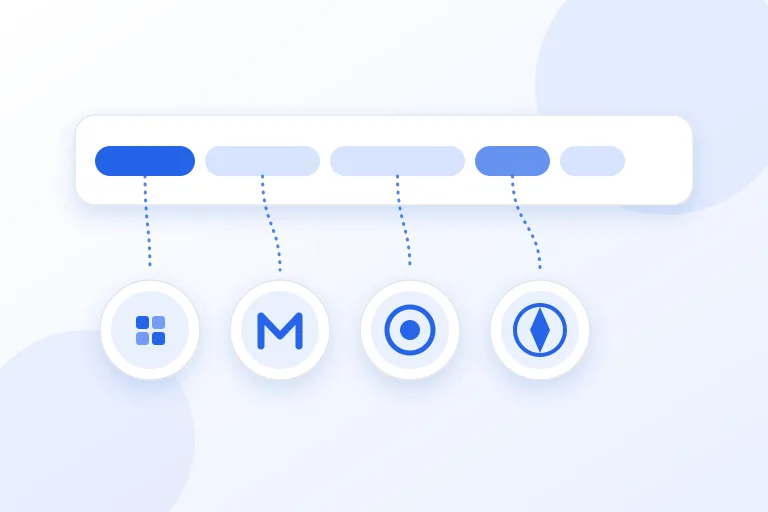
Treat the string as a set of clues and not as a name. The order in which you read the tokens matters, because the later words are the more specific ones. The user agent parser on this site follows these rules, which agree with the table in MDN's page on browser detection.
- Read a token such as Edg, OPR, or Vivaldi before Chrome, because these browsers also say Chrome.
- Read Chrome before Safari, because Chrome says both and Safari says only Safari.
- Look for Version/ in a Safari string. That number is the browser release. The number after Safari is only a build.
- Do not read the word Gecko alone as Firefox. WebKit and Blink strings say like Gecko. Firefox has an rv: token and, on the desktop, the fixed Gecko/20100101.
- Remember that Windows 10 and Windows 11 both say Windows NT 10.0, and that Chrome now freezes some parts. The parser says when a value is frozen.
- Do not read the model or the exact version from a reduced string. They are no longer in it.
What to do in your own code
MDN gives plain advice: it may be tempting to parse the string and change how your site behaves, but this is very hard to do reliably, and is often a cause of bugs. The better method is feature detection, which checks whether the browser supports the feature that you are about to use, and gives a fallback if it does not. For mobile layouts, it recommends the maxTouchPoints property and modern CSS in place of reading the string for a phone.
Keep the string for what it is good at: counting visitors, grouping errors by browser, and recognising crawlers. For robots, remember that it is only a claim. A crawler writes its name in the string, such as Googlebot in MDN's example, and any program can write the same name. Google documents how to check a request that claims to be from its crawlers: run a reverse DNS lookup on the IP address in your logs, verify that the name is in googlebot.com, google.com, or googleusercontent.com, then run a forward lookup on that name and confirm that it gives the same address. For large numbers of requests, it suggests matching the address against its published list of IP addresses. A name in the string alone proves nothing.
If you read the string in a log, be ready for it to say less over time. A report that splits visitors by exact Chrome version, device model, or Windows version will find that the answer is now zeros, a fixed value, or missing. The client hints are the way to ask when you need those details, and the question to put first is whether you need them at all.
Practical checklist
- Remember that Mozilla/5.0 is a compatibility token, not the name of the browser.
- Read the tokens from the most specific to the least: Edg, OPR, and Vivaldi, then Chrome, then Safari.
- Use Version/ for the Safari release, not the number after Safari.
- Do not treat like Gecko as a sign of Firefox.
- Use feature detection in your code, not the string, to decide what a browser can do.
- Use the string for statistics and grouping, and not for security.
- Check a crawler with the reverse DNS method that its operator documents.
- Ask for client hints only when you need data that the reduced string no longer shows.
Research and references
This guide was prepared from the authoritative references below.
- WebAIM: History of the browser user-agent string
- MDN Web Docs: User-Agent header
- MDN Web Docs: Browser detection using the user agent
- RFC 9110: HTTP Semantics, section 10.1.5, User-Agent
- Google Privacy Sandbox: What is User-Agent reduction?
- Google Search Central: Verifying Googlebot and other Google crawlers