Most of us were taught that a strong password is short, strange, and full of symbols: a capital letter, a number, an exclamation mark. Then we were told to change it every few months. Current guidance from security standards bodies says almost the opposite: make it long, make it unique, and stop forcing needless changes.
This guide explains how long a password should be, what NIST's digital identity guidelines actually require, why length beats complexity (with the math), how to build a passphrase you can remember, and what website owners should do to make strong passwords easy. It draws on NIST Special Publication 800-63B, CISA's password advice, and OWASP's storage guidance, linked at the end.
The short answer: use at least 15 characters for any password that protects an account on its own, and aim for 16 or more, as CISA recommends. A passphrase of four to seven unrelated words is an easy way to get there. Make every one unique, and let a password manager remember them.
What does NIST say about password length?
NIST Special Publication 800-63B, from the US National Institute of Standards and Technology, sets requirements for the services that check passwords. They are written for website and system owners, but they show what experts now consider good practice for everyone. These are the key points, using NIST's own requirement levels.
Notice what is missing. There is no demand for uppercase letters, numbers, or special characters, and no schedule for changing passwords. NIST moved the emphasis to length, uniqueness, and screening against known-bad passwords.
- A password used as the only authentication factor must be at least 15 characters long.
- A password used only as one part of multi-factor authentication must be at least 8 characters long.
- Services should permit a maximum length of at least 64 characters.
- Services should accept all printing ASCII characters, the space character, and Unicode characters.
- Services must not impose other composition rules, such as requiring a mix of character types.
- Services must not require users to change passwords periodically.
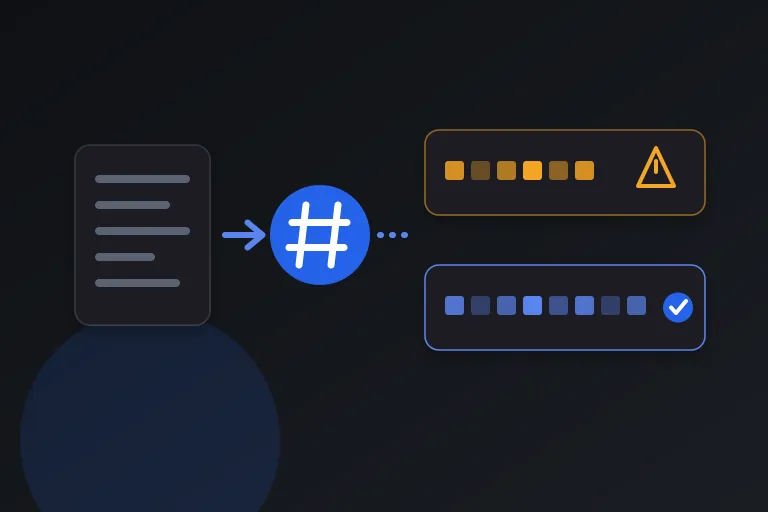
- Services must compare new passwords against a blocklist of commonly used, expected, or compromised passwords.
- Services should let people paste into the password field, so password managers work.
- Services must not let people store a password hint that can be seen before logging in, and must not prompt for knowledge-based questions.
What does CISA recommend?
The US Cybersecurity and Infrastructure Security Agency gives practical advice for individuals. It says passwords should be at least 16 characters, adding that longer is stronger. It offers two ways to get there: a random string of mixed-case letters, numbers, and symbols, or a memorable phrase of four to seven unrelated words, called a passphrase.
CISA also says to use a different strong password for each account, and it recommends a password manager, a program that generates, stores, and fills in passwords so you only need to remember the one for the manager itself.
Why length beats complexity
Password strength is often measured in bits, where every extra bit doubles the number of guesses an attacker needs. The numbers below are calculated for truly random choices, which is the best case for any scheme.
A random character from the 94 printable ASCII characters adds about 6.55 bits, so 8 random characters give about 52 bits, 12 give about 79 bits, and 15 give about 98 bits. A word chosen at random from a list of 7,776 words, the size used by dice-based methods such as Diceware, adds about 12.9 bits, so 4 random words give about 52 bits, 5 give about 65, 6 give about 78, and 7 give about 90.
Put differently, 8 random characters can be arranged in roughly 6.1 × 10^15 ways, while 6 random words can be arranged in roughly 2.2 × 10^23 ways, about 36 million times as many. Length compounds in a way that clever symbols cannot match. Even 15 random lowercase letters, with no capitals, digits, or symbols at all, give about 70 bits.
There is one important caveat. These figures assume the characters or words were picked by a random process. A human-chosen pattern such as a capitalized word followed by a number and a symbol is far weaker than the math suggests, because attackers try those patterns first. That is why CISA says the words in a passphrase should be unrelated.
How to build a strong passphrase
A passphrase gives you length without making the password impossible to remember. The goal is a sequence that is long, random, and personal to no one.
- Choose four to seven unrelated words, ideally picked by dice or a generator rather than by your own mind.
- Avoid song lyrics, film quotes, famous sayings, and anything about you that appears on social media.
- Add length instead of tricks. Another random word is worth more than swapping an a for an @.
- Make the passphrase unique to one account so a leak elsewhere cannot unlock it.
- Store your passwords in a password manager, and memorize only the one strong passphrase that protects it.
Mistakes that make long passwords weak
Length helps only when the password is not predictable or reused. These habits undo much of the benefit.
- Reusing a password across sites, which lets one breach unlock many accounts.
- Building passwords from names, birthdays, pet names, or places that others can find.
- Using predictable substitutions, such as a zero for the letter O, which attackers already try.
- Typing keyboard patterns or repeating a short word several times to reach a length requirement.
- Adding a number to the end every time a site forces a change.
- Keeping passwords in plain-text notes, spreadsheets, or email drafts.
Why you should not change passwords on a schedule
For years, workplaces required password changes every 60 or 90 days. NIST now says services must not require subscribers to change passwords periodically. Forced rotation tends to push people toward small, predictable edits, which gives attackers an easy pattern to follow.
That does not mean passwords are permanent. Change a password promptly if you learn it may have been exposed, if a service reports a breach, or if you have shared it with someone who no longer needs access.
Is 8 characters enough?
NIST allows 8 characters only for passwords that are one part of multi-factor authentication, where a second factor backs them up. Eight random characters give about 52 bits, and most 8-character passwords that people choose are far weaker, because they follow common patterns.
If a site only accepts short passwords, make yours as long as the site allows and turn on multi-factor authentication. And if a site insists on symbols and capitals, you can add them, but remember that NIST tells services not to require them. Length does the real work.
Advice for website owners and developers
If you run a site with logins, you decide how hard or easy strong passwords are for your users. NIST and OWASP give a clear checklist.
On storage, OWASP's Password Storage Cheat Sheet states that fast hashing algorithms such as SHA-256 are not suitable for password storage because they allow attackers to perform large numbers of guesses quickly. Its primary recommendation is Argon2id with a minimum of 19 MiB of memory, an iteration count of 2, and one degree of parallelism, with a unique salt for each password.
- Allow passwords of at least 64 characters, including spaces and Unicode.
- Let people paste, so password managers and generated passphrases work.
- Drop composition rules and forced periodic changes.
- Check new passwords against a blocklist of common and compromised passwords.
- Do not offer password hints that are visible before login, or knowledge-based security questions.
- Store passwords with a slow, salted algorithm such as Argon2id, not a plain hash.
What to do if a password may have been exposed
Even a strong password can leak if a service you use is breached. This is why NIST tells services to screen new passwords against a blocklist of compromised ones, and why uniqueness matters as much as length. If every account has its own password, one leak stays one leak.
When you learn that a service has been breached, or you suspect a password was exposed, act quickly and in this order.
- Change the password on that account first, using a new, unique passphrase.
- Change it anywhere else you reused it, starting with email, banking, and anything that can reset other accounts.
- Turn on multi-factor authentication, so a stolen password alone is not enough to sign in.
- Check the account's recent activity and sign out of any sessions you do not recognize.
- Use your password manager's reuse and breach reports, if it has them, to find other weak or repeated passwords.
A privacy note about password generators and checkers
A password you type into a website is only as safe as that website. Choose generators that create passwords locally in your browser or in your password manager, and be cautious with online strength checkers. Never paste a real password into a checker you have not verified. Test a similar sample instead.
Practical checklist
- Use at least 15 characters for any password that protects an account by itself, and aim for 16 or more.
- Prefer a passphrase of four to seven unrelated, randomly chosen words.
- Use a different password for every account.
- Store passwords in a reputable password manager and protect it with one strong passphrase.
- Turn on multi-factor authentication wherever it is offered.
- Change a password when it may be exposed, not on a fixed schedule.
- If you build a login system, allow 64 or more characters, allow paste, and hash passwords with Argon2id.
Research and references
This guide was prepared from the authoritative references below.