When you download software and see a long string of letters and numbers labeled MD5 or SHA-256 next to the link, you are looking at a hash. Hashes quietly power file verification, digital signatures, caching, and password storage, yet they are widely misunderstood, and the wrong choice can leave a system open to attack.
This guide explains what a hash is, how MD5 and SHA-256 differ, what a collision is and why it matters, when MD5 is still acceptable, and how to verify a download yourself. It draws on NIST's standards pages, the IETF's RFC 6151 on MD5, and OWASP's password storage guidance, all linked at the end.
The short answer: use SHA-256 or another SHA-2 or SHA-3 algorithm for anything security related, use MD5 only to catch accidental errors where no attacker is involved, and never use either one on its own to store passwords.
What is a hash?
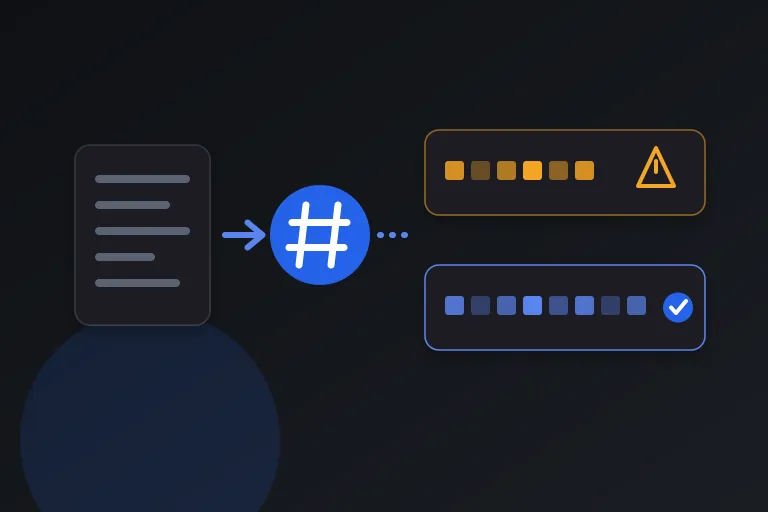
A hash function takes input of any size, whether a word, a document, or a multi-gigabyte file, and produces an output of fixed length called a digest, hash, or checksum. NIST describes the purpose in its Secure Hash Standard: digests are used to detect whether messages have been changed since the digests were generated.
Good hash functions behave the same way every time for the same input, but a tiny change to the input produces a completely different output. The MD5 hash of the word hello is 5d41402abc4b2a76b9719d911017c592, while the MD5 hash of Hello with a capital H is 8b1a9953c4611296a827abf8c47804d7. One letter changed, and nothing about the output looks similar. SHA-256 behaves the same way: hello hashes to 2cf24dba5fb0a30e26e83b2ac5b9e29e1b161e5c1fa7425e73043362938b9824, and Hello hashes to 185f8db32271fe25f561a6fc938b2e264306ec304eda518007d1764826381969.
Hashing is not encryption. Encryption is designed to be reversed with a key, while a hash is designed so that you cannot recover the input from the output. The only way to check a guess is to hash it and compare the result.
What is MD5?
MD5 produces a 128-bit digest, normally written as 32 hexadecimal characters. It is fast and was used for years to verify downloads, fingerprint files, and sign data, which is why you still see it in older checksum lists and legacy systems.
The problem is that MD5 no longer resists deliberate attack. The IETF's RFC 6151, published in March 2011, documents advances in MD5 collision attacks, noting that researchers could find an MD5 collision in about one minute on a standard notebook PC and later in 10 seconds or less. The RFC concludes that MD5 is no longer acceptable where collision resistance is required, such as digital signatures.
What is SHA-256?
SHA-256 belongs to the SHA-2 family of hash algorithms. It produces a 256-bit digest, written as 64 hexadecimal characters. NIST specifies the family in FIPS 180-4, the Secure Hash Standard, which covers SHA-1 and the SHA-2 variants SHA-224, SHA-256, SHA-384, SHA-512, SHA-512/224, and SHA-512/256. NIST lists the SHA-2 family, together with the SHA-3 family defined in FIPS 202, among its approved hash algorithms.
The SHA family also shows why the name alone is not enough. NIST deprecated SHA-1 in 2011, disallowed its use for digital signatures at the end of 2013, and published a plan to transition away from its remaining limited uses in December 2022. When someone says use SHA, the safe reading is SHA-256 or stronger, not SHA-1.
MD5 vs SHA-256: the key differences
The two algorithms do the same basic job, but they sit at very different points on the security spectrum.
- Digest size: MD5 outputs 128 bits (32 hex characters), while SHA-256 outputs 256 bits (64 hex characters).
- Collision resistance: MD5 collisions can be produced deliberately in seconds on ordinary hardware, according to RFC 6151, while SHA-256 is a NIST-approved algorithm.
- Standards status: MD5 is documented as unsuitable where collision resistance is needed, while SHA-256 is specified in FIPS 180-4 and remains approved.
- Speed: MD5 is faster, but for checking files the difference is rarely noticeable in practice.
- Typical uses today: MD5 survives in legacy checksum lists and non-security tasks, while SHA-256 is the usual choice for download verification, certificates, and signatures.
What is a collision, and why does it matter?
A collision happens when two different inputs produce the same hash. Collisions must exist in theory, because there are far more possible inputs than possible digests. What matters is whether anyone can find them on purpose.
If an attacker can craft two files with the same MD5 hash, they can show you the harmless one to approve or sign, then swap in the malicious one while the checksum still matches. That is why RFC 6151 rules MD5 out for digital signatures, and why a matching MD5 checksum cannot prove that a file has not been tampered with.
When is MD5 still acceptable?
RFC 6151 is specific about this. It notes that where an MD5 checksum is used solely to protect against errors, it is still an acceptable use, and that it is not urgent to stop using MD5 in other ways such as HMAC-MD5, although new protocol designs should not employ it.
In practice that means non-adversarial jobs: spotting accidental corruption in a file transfer, finding duplicate files on your own disk, or generating cache keys where nobody is trying to forge a match. Even then, SHA-256 costs almost nothing extra, so choosing it removes any doubt.
Which hash should you use?
The right choice depends on whether anyone might try to cheat. If the answer is yes, or you are unsure, use SHA-256 or stronger.
- Verifying a download or backup: SHA-256, compared against a value published by a source you trust.
- Digital signatures and certificates: SHA-256 or stronger, never MD5 or SHA-1.
- Detecting accidental corruption: MD5 works, but SHA-256 is the safer habit.
- Deduplication and cache keys with no attacker involved: MD5 is acceptable, SHA-256 is better.
- Storing passwords: neither. Use a dedicated password hashing algorithm, as explained next.
Why neither MD5 nor SHA-256 should store passwords
Password storage is a different problem, because the attacker already has the hashes and is trying to guess the passwords behind them. OWASP's Password Storage Cheat Sheet states that fast hashing algorithms such as SHA-256 are not suitable for password storage because they allow attackers to perform large numbers of guesses quickly, and that password hashes should be slow, unlike MD5 and SHA-1, which were designed to be fast.
OWASP's primary recommendation is Argon2id, with a minimum configuration of 19 MiB of memory, an iteration count of 2, and one degree of parallelism. It lists scrypt and PBKDF2 as alternatives and says bcrypt should be used only in legacy systems where Argon2 and scrypt are unavailable. It also requires a unique salt for each password, so an attacker has to crack hashes one at a time instead of calculating a hash once and comparing it against every stored hash.
If you are building a login system, use a well-maintained library for one of these algorithms instead of calling a general-purpose hash function yourself.
Hash vs HMAC: when you need a secret key
A plain hash proves that data matches a fingerprint, but anyone can compute a plain hash, including someone who has altered the data and wants to publish a matching fingerprint. When you need to prove that a message came from someone who holds a secret, you need a keyed construction called an HMAC.
RFC 6151 discusses HMAC-MD5 for this reason. It says it is not urgent to stop using HMAC-MD5 in existing protocols, but because MD5 must not be used for digital signatures, new designs should not employ it. For new designs it recommends HMAC-SHA256 or AES-CMAC where AES is more readily available than a hash function.
The practical lesson is that a hash answers whether the data changed, while an HMAC or a digital signature answers who vouches for it. If you only need the first, a SHA-256 checksum is enough. If you need the second, use an HMAC or a signature built on a modern algorithm.
How to verify a downloaded file with a checksum
Verifying a download takes less than a minute. The comparison only means something if the published hash comes from a trustworthy place.
One limit is worth knowing. If the checksum sits on the same web page as the file, an attacker who can change the file can change the checksum too. In that case the check still catches accidental corruption, but it does not prove authenticity, so prefer checksums or signatures delivered over a separate, trusted channel.
- Find the official SHA-256 value on the publisher's own HTTPS page.
- On Windows PowerShell, run Get-FileHash .\file.iso -Algorithm SHA256, or in Command Prompt use certutil -hashfile file.iso SHA256.
- On macOS, run shasum -a 256 file.iso. On Linux, run sha256sum file.iso.
- Compare the result with the published value character by character. A single different character means the file is not the one the publisher released.
- If the values differ, delete the file and download it again from the official source.
A privacy note about online hash tools
Hash generators are convenient, but pasting sensitive text into a website sends it to someone else's server. Short or predictable secrets can also be recovered by hashing guesses, which is exactly the weakness OWASP describes for fast hashes. Prefer a tool that computes hashes in your browser or a command on your own computer, and never paste real passwords or keys into a site you have not verified.
Practical checklist
- Use SHA-256 or stronger for anything security related.
- Treat MD5 and SHA-1 as unsuitable for signatures, certificates, and proof that a file was not tampered with.
- Use MD5 only for accidental error detection or non-security tasks.
- Never store passwords with a plain MD5 or SHA-256 hash; use Argon2id, scrypt, or PBKDF2 with unique salts.
- Compare published checksums character by character after hashing a download.
- Get checksums from a trusted source, ideally separate from the file download.
- Compute hashes locally instead of pasting sensitive data into unknown websites.
Research and references
This guide was prepared from the authoritative references below.